
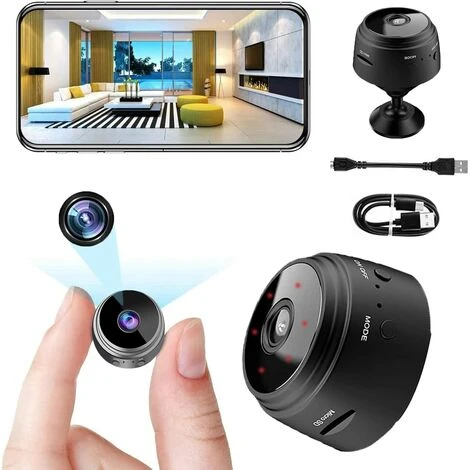
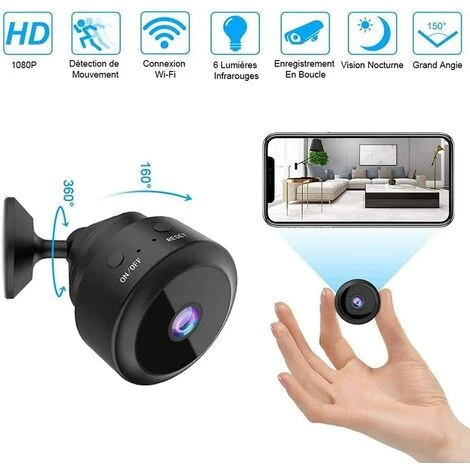



HANBING Camera Espion HD 1080P De Surveillance Sans Fil Mini Caméra Sport Avec Detecteur De Mouvement, Exterieur Interieur Caméra Avec Enregistrement
Le prix initial était : 17,37 €.12,16 €Le prix actuel est : 12,16 €.
- Avoir les meilleures offres
- Magasinez sans soucis
- Paiements sécurisés, informations personnelles sécurisées
- Des matériaux durables, pour un avenir meilleur.

- Indice de protection30
- Alimentation électriqueBatterie
- Mode de fixation/poseSaillie, applique
- Pièce destinationSalle de bain
- Portée5.0 m
- Angle, inclinaison110.0 degré angle
- Type de connectique électriqueUSB
- Réf. ManoManoME73534326
- Réf. fabricantAMY-HY00001
【Caméra WIFI】 Distance de travail légère jusqu’à 5 m, ce qui la rend parfaite comme caméra de sécurité domestique ou caméra de gouvernante / nounou pour enregistrer à la fois des photos instantanées et des vidéos sans attirer l’attention. VEUILLEZ NOTER : La caméra ne fonctionne qu’avec les réseaux Wi-Fi 2,4 GHz (le Wi-Fi 5 GHz n’est pas pris en charge). Si vous ne trouvez pas le point d’accès réseau, veuillez réinitialiser la caméra.
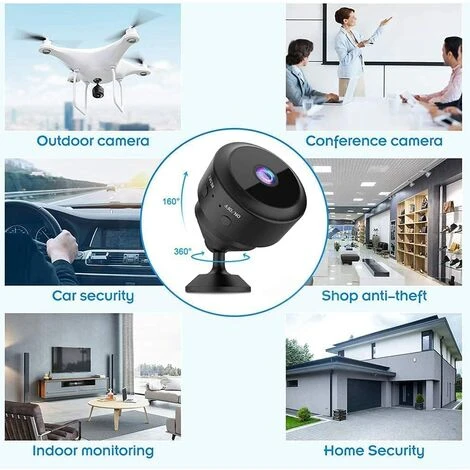
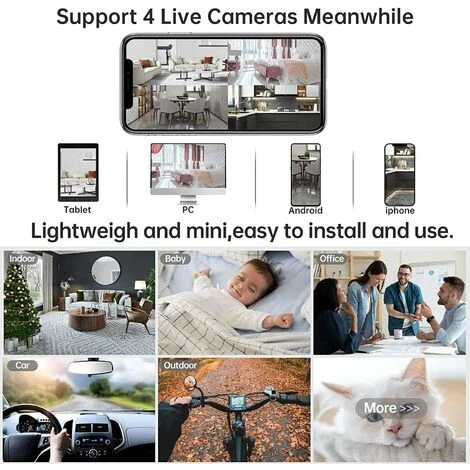
【Mini caméra multifonction】 Convient pour la maison, le bureau, l’entrepôt, le magasin, le jardin, la salle de bain, la chambre. Avec l’aimant interne, les caméras de surveillance améliorées peuvent être facilement adsorbées sur toutes les surfaces en fer. Une caméra peut prendre en charge plusieurs utilisateurs et une application peut prendre en charge plusieurs caméras simultanément.
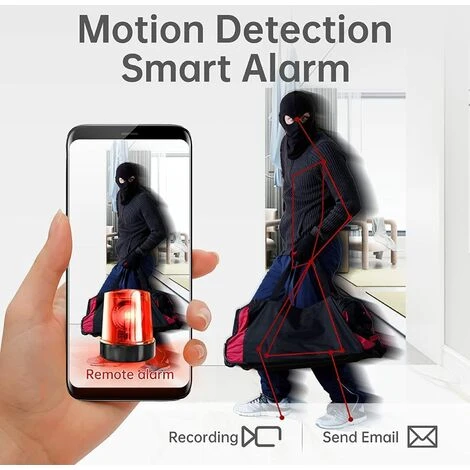
【Full HD 1080P】 La petite mini caméra enregistre des vidéos en HD 1920X1080P exceptionnelle à 30 images par seconde. Détection de mouvement, alarme à distance et moniteur en temps réel, grand angle de 110°, aimant intégré, batterie rechargeable intégrée, lecture/instantané/enregistrement, enregistrement sur carte SD, enregistrement pendant la charge, compatible iOS et Android, il suffit de télécharger l’application gratuite.
Pay Attention: We do NOT provide SD cards, please purchase carefully if you mind this. Thanks for your understanding.
APP software download:
Android phone please swipe the two-dimensional code to download this APP, iOS system phone can be directly in the App Store search Little_Stars download APP.(If you are unable to download the APP, please carefully check the instructions manual included in the package or contact us for detailed answers)
Short-range APP hotspot link:
Shorttap the ON/OFF switch key at the top of the camera and the blue light flashes quickly into WiFi hotspot mode. Turn on your phone WiFi settings In the WiFi list select ACCQXXXXxx WiFi starting with ACCQ, click Connect this WiFi, Open APP after connection is successful, Click the AP button on the APP page to watch the video
Camera remote connection:
1、Turn on your phone’s WiFi settings, connect to your wiFi, and then turn on the APP,Click on the new add-on device, go to the new page and click on the One key button, Go to the Input WiFi information page and enter the WiFi password link
2、Go to the Connected Device Hotspots page, click Connect Device Hotspot, connect to WiFi that starts with ACCQ
3、After connecting to the camera WiFi successfully, return to the APP interface click Onekey Conflgure in the following image, click on the top right corner of the APP page after the success of the network to complete the following image, click complete to add the camera
4、In the list of APP devices you can see the camera display online status as shown below, click to watch the video.
5、Note: The device only supports WiFi in the 2.4G band, and it does not support WiFi in the 5G band. If you can’t find the network hotspot, please reset the camera.
Package Content:
1* Mini Camera
1* Support Magntique
1* Cable de Charge
1* Cable USB Pliable
1* Manuel
Soyez le premier à laisser votre avis sur “HANBING Camera Espion HD 1080P De Surveillance Sans Fil Mini Caméra Sport Avec Detecteur De Mouvement, Exterieur Interieur Caméra Avec Enregistrement”
Produits similaires

Autre accessoire de vidéosurveillance
Accessoire d'installation pour Vidéosurveillance

Accessoire de stockage vidéo
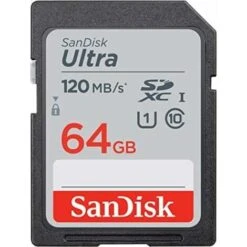
SanDisk Ultra 64Go SDHC Carte, Jusqu’à 120 Mo/s, Classe 10, UHS-I, V10


Ecran et moniteur pour vidéosurveillance
Accessoire de stockage vidéo
Avis
Il n’y a pas encore d’avis.